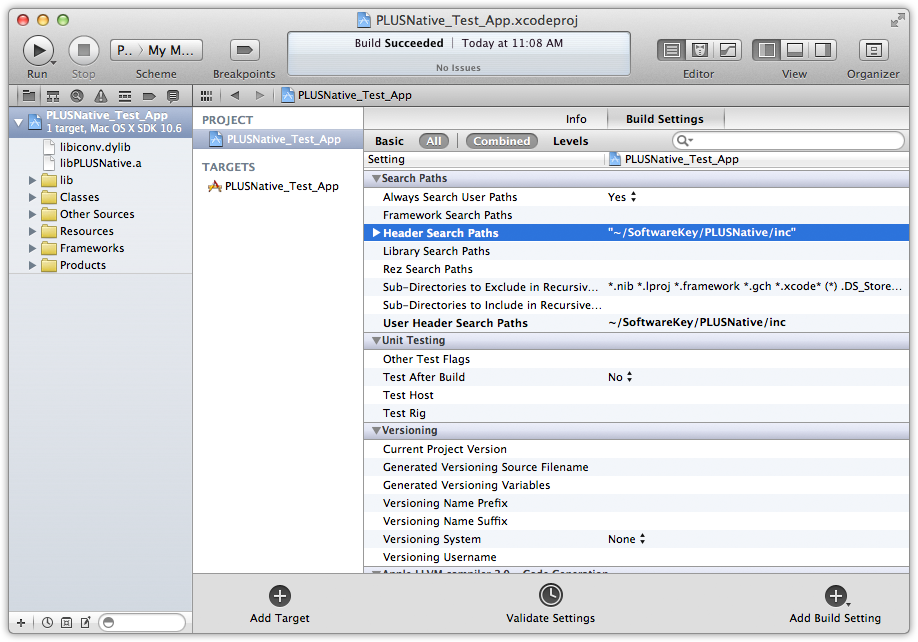
In order for the compiler to locate the PLUSNative.h header file that gets included with your source code you should add the SoftwareKey/PLUSNative/inc directory your Xcode project's include search path. Start by opening up your project's build settings. This is done by clicking the project name in the Project navigator and then clicking the project name under PROJECT. Click the Build Settings tab and select All to show all settings. Scroll down to the Search Paths section and double-click Header Search Paths. Click the plus (+) on the bottom left of the search paths dialog that pops up and add the path to the PLUSNative include directory (e.g. SoftwareKey/PLUSNative/inc).
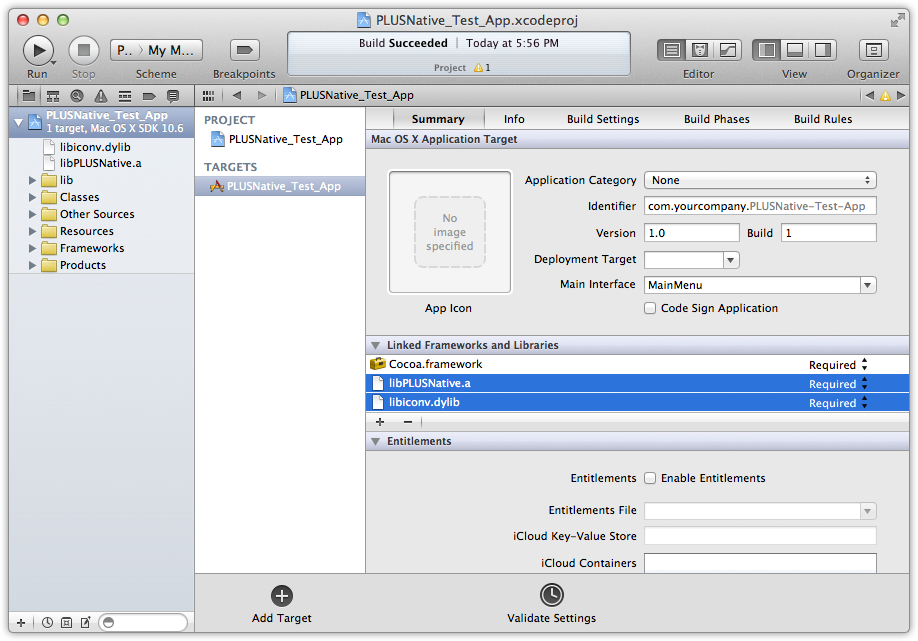
You must configure your Xcode project to tell it which PLUSNative library to link with as well as any of it's system library dependencies. The libraries are added to your project's targets. Start by clicking the project name in the Project navigator and then clicking the target name under TARGETS, and then click the Summary tab. Click the plus (+) to the bottom left of the Linked Frameworks and Libraries section and add each of the PLUSNative library dependencies. Click the plus (+) again and click the Add Other... button and browse to the PLUSNative library directory and choose the specific library you wish to link. In this example we browsed to ~/SoftwareKey/PLUSNative/lib/x64/macOS/static and added libPLUSNative.a.